For people who want their files in order.
Every file in its place, on an infinite canvas.
Comparing tools? DEVONthink · ForkLift
Highlights
Files get messy for more than one reason.
“Downloads, Desktop, folders ten levels deep — Finder shows one level at a time.”
An infinite canvas. See it all.
Nested folders, flattened onto one canvas. Arrange things the way you think.
“Dragging and naming files one by one takes an afternoon — so it never happens.”
One-click organize
One click and AI proposes groups, names included. Only what you approve takes effect. Included Alayo AI needs no account: trial credits are included and license holders can top up.
“You’d like AI’s help — just not if it shuffles or loses your files.”
Safe by design
Originals stay put. Every change is proposed first, waits for your OK, and can be undone.
“You don’t want to import everything into yet another database, or sign up for one.”
Local-first
Files stay on your Mac. No import, no account. Content goes to an AI service only when you ask AI for help — and you can switch to your own API key at any time.
“Folders only give you a tree. Your projects have stages and dates.”
Structure your way
Groups, sub-groups, stages and a calendar — and one file can live in several spaces.
“You finally get it tidy. Two weeks later it’s a mess again.”
Stays in order
When new files land in a watched folder, Alayo suggests which group they belong to. You just approve.
Order, made in freedom.
How it works
Three steps. Nothing moves without you.
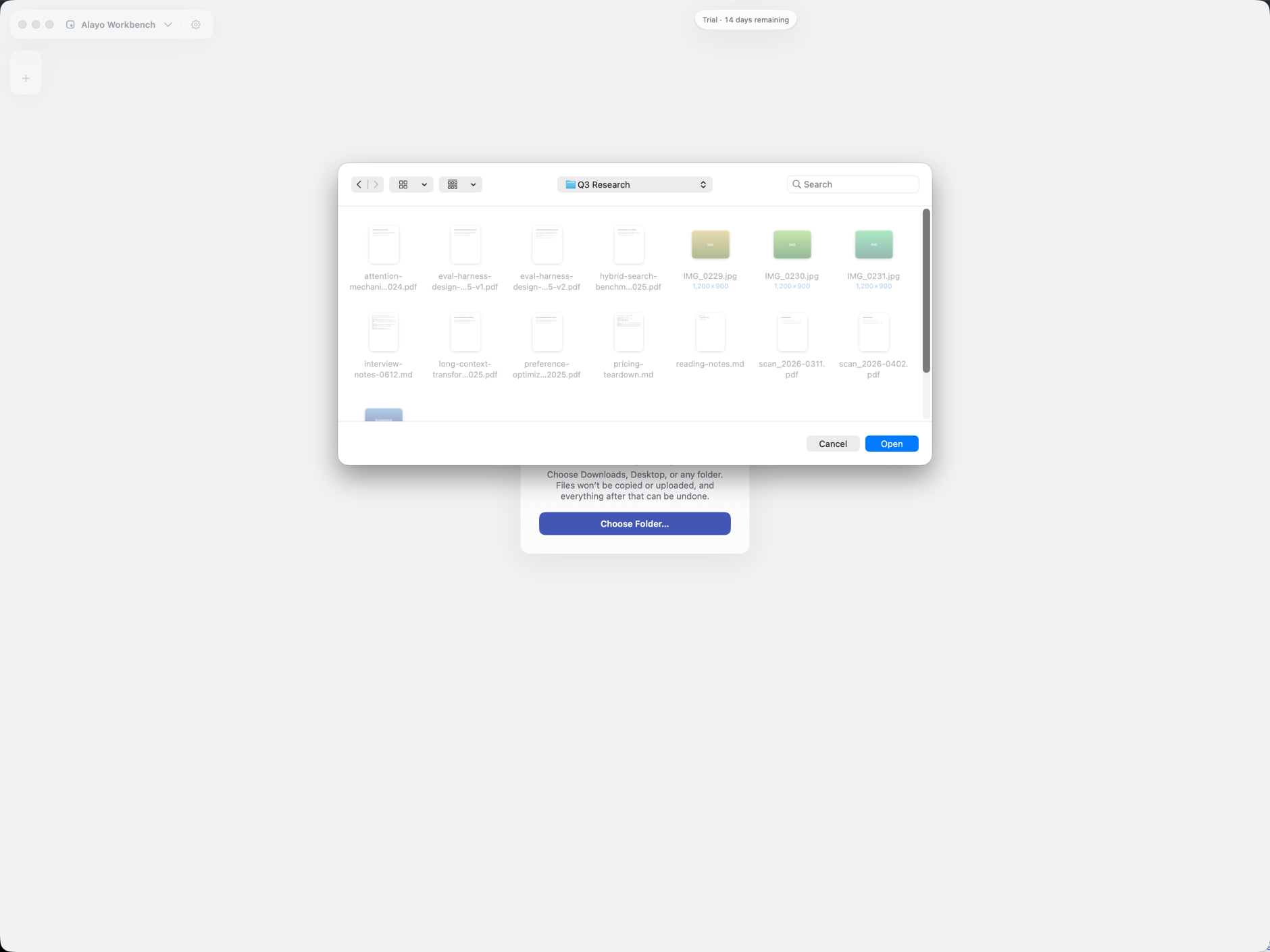
01
Point Alayo at a real folder. Nothing moves, nothing imports.
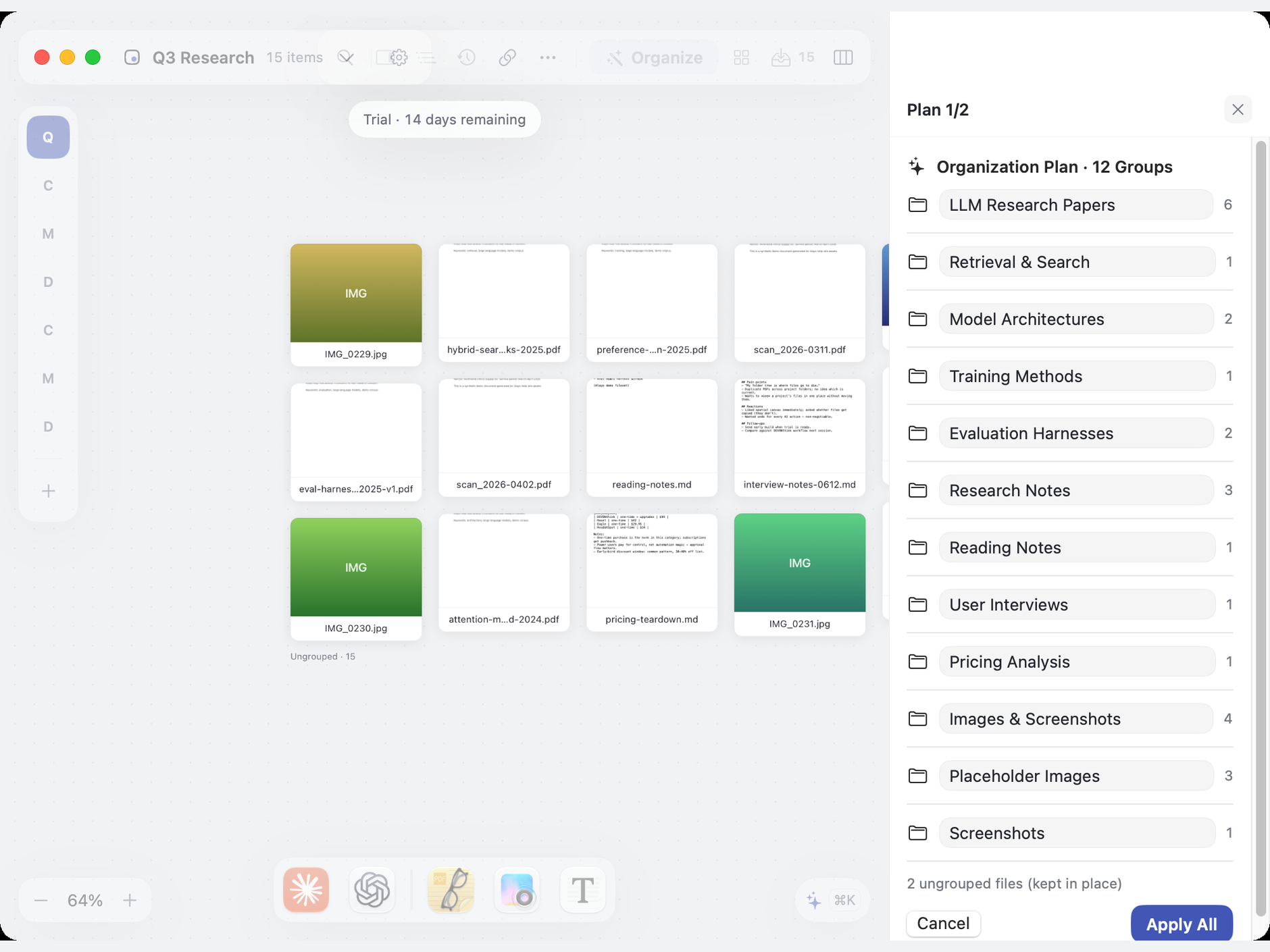
02
Drop what you’re working on onto the canvas. Group, rename, tidy — AI suggests, you approve, and you can always undo.
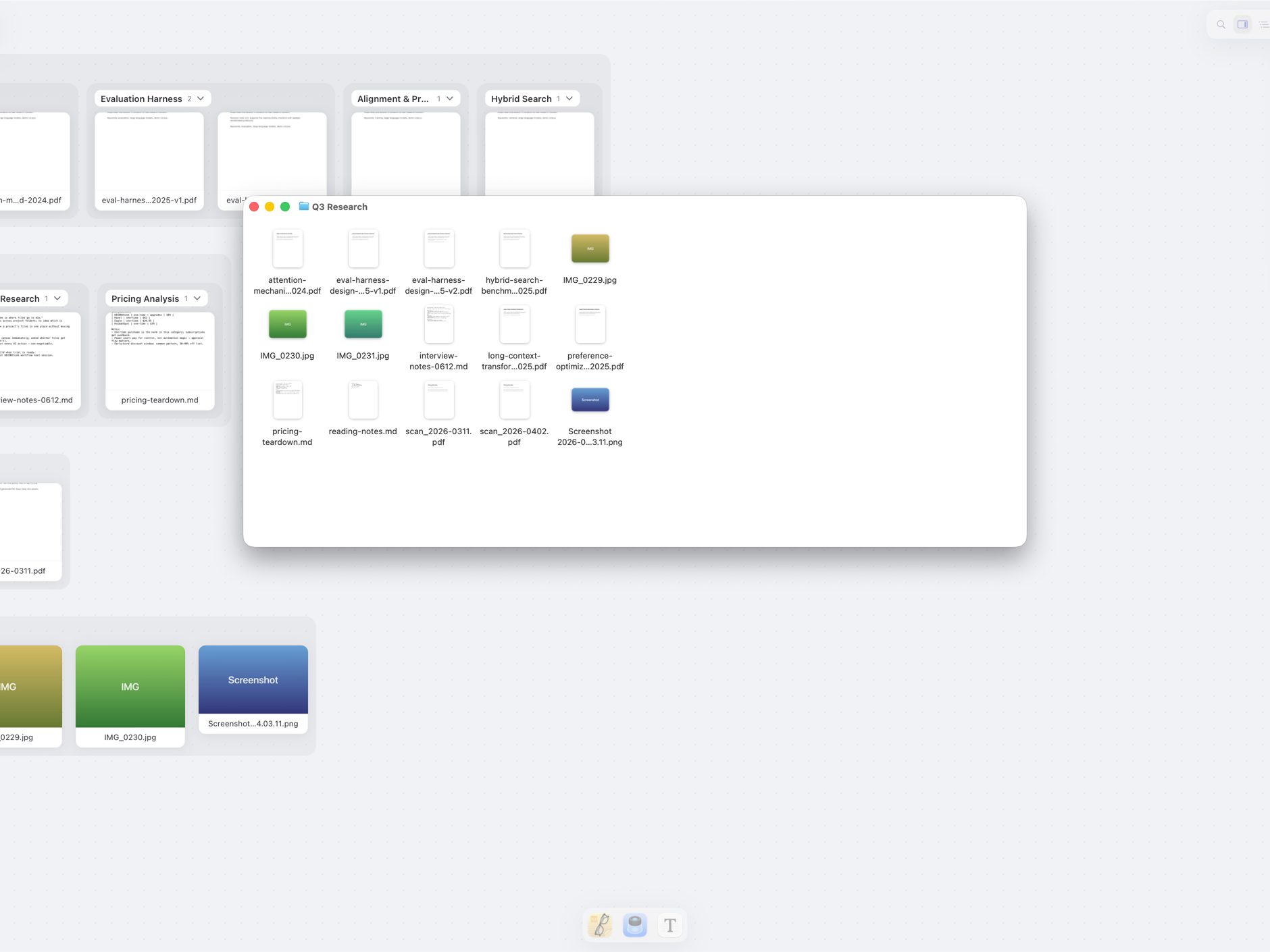
03
Close it. Your files are still right where they were, just less of a mess.
Launch · Early bird
US$39 launch early bird US$59 regular
Pay once, get your Alayo Workbench 1.0 license — yours for the whole 1.x line. Licenses bought at the early-bird price also include 500 credits for included Alayo AI. Full refund within 14 days of purchase, no questions asked (refund policy). The early-bird price can end at any time; after that it’s US$59.
Alayo Workbench 1.0 is out: your license key appears on this page as soon as payment is confirmed — paste it under Settings › License in the app to activate, on up to 2 devices.
Try it free for 14 days before you decide — no credit card needed. Go to the download page; if the trial ends without a purchase the app simply turns read-only, and your files and organization stay put. The trial includes 100 credits for included Alayo AI — limited spots, while they last; trial credits don’t carry over to a license.
Couldn’t start checkout — nothing was charged. Please try again, or email [email protected].
Checkout is temporarily unavailable — leave your email and we’ll tell you the moment it’s back.
Payments are securely processed by Paddle or Stripe over HTTPS — we never store your card details; your license key appears on this page as soon as payment is confirmed. See the terms of service.
Payments are securely processed by Paddle or Stripe over HTTPS — we never store your card details; your license key appears on this page as soon as payment is confirmed. See the terms of service.
Checkout completed.
We’re confirming payment with the provider. Some payment methods can take up to 10 minutes.
Still confirming. You can safely refresh this page; if it remains pending, email [email protected] and we’ll check the order.
Purchase complete.
Thanks for your order — your receipt is on its way. Your license key is below: paste it under Settings › License in Alayo to activate (up to 2 devices). We also email the key to the address you used at checkout; if it doesn’t arrive, you can always recover it by emailing [email protected] from the address on your receipt. Full refund within 14 days of purchase (refund policy).
Your license key
Your license key is being prepared — refresh this page to fetch it again. If it still doesn’t appear, email [email protected].
This order has been refunded.
Your payment has been returned and this license is no longer valid. If this isn’t what you expected, email [email protected] and we’ll sort it out.
A note from the founder
I’m building Alayo because I’m a frustrated DEVONthink user myself. I kept my library in DT and did all my real work somewhere else — and got tired of the split. If that’s you too, I’d genuinely like to hear from you.
FAQ
Fair questions.
Will it lock my files into a database?
No. Alayo works alongside your real files, where they already are.
Does it replace DEVONthink?
No — it’s the workbench next to your library. Keep DT for archival; use Alayo for the live work.
Why not just use Finder / Obsidian?
Those are great until a project sprawls. Alayo is spatial and AI-assisted — AI proposes first, you approve every change, and you can always undo.
Does AI work out of the box? Can I use my own provider?
Yes. Included trial credits (100 credits, limited spots — while they last) require no account, so AI is ready when you are. Licenses bought at the early-bird price get another 500 credits on activation; trial credits don’t carry over to a license. For heavy use or privacy-sensitive work, you can connect your own AI service (BYOK) at any time.
Can it help with everyday file moving, not just organizing?
Yes. 1.0 ships with the Shelf — a file stopover living in your menu bar: drag files in from Finder or the canvas, let them collect, then deliver them in one trip; Finder performs the move, and items taken from a space can go back with one click. Off by default, one switch in Settings. See how it works.
Is it out? What about refunds?
1.0 is out — download it and try it for 14 days. Purchases are fully refundable within 14 days, no questions asked — see the refund policy.
Stay in the loop
Checkout unavailable? Leave your email and we’ll let you know.
Not ready to buy? Leave your email.
Your email is all it takes. The two questions are optional — they help us build for people like you, not a generic “everyone”.
- Launch early bird US$39 — regular US$59; the early-bird price can end at any time
- Early-bird purchases include 500 credits for included Alayo AI
- Full refund within 14 days of purchase, no questions
- You’ll be first to know when checkout is back
- Checkout is already open — buy whenever you’re ready