Core Concepts
Alayo isn't another “import and you're locked in” file vault. It works beside your real files: everything on the canvas is a rehearsal, real files never change without your confirmation — and everything can be undone.
Spaces and cards: files stay put, cards move
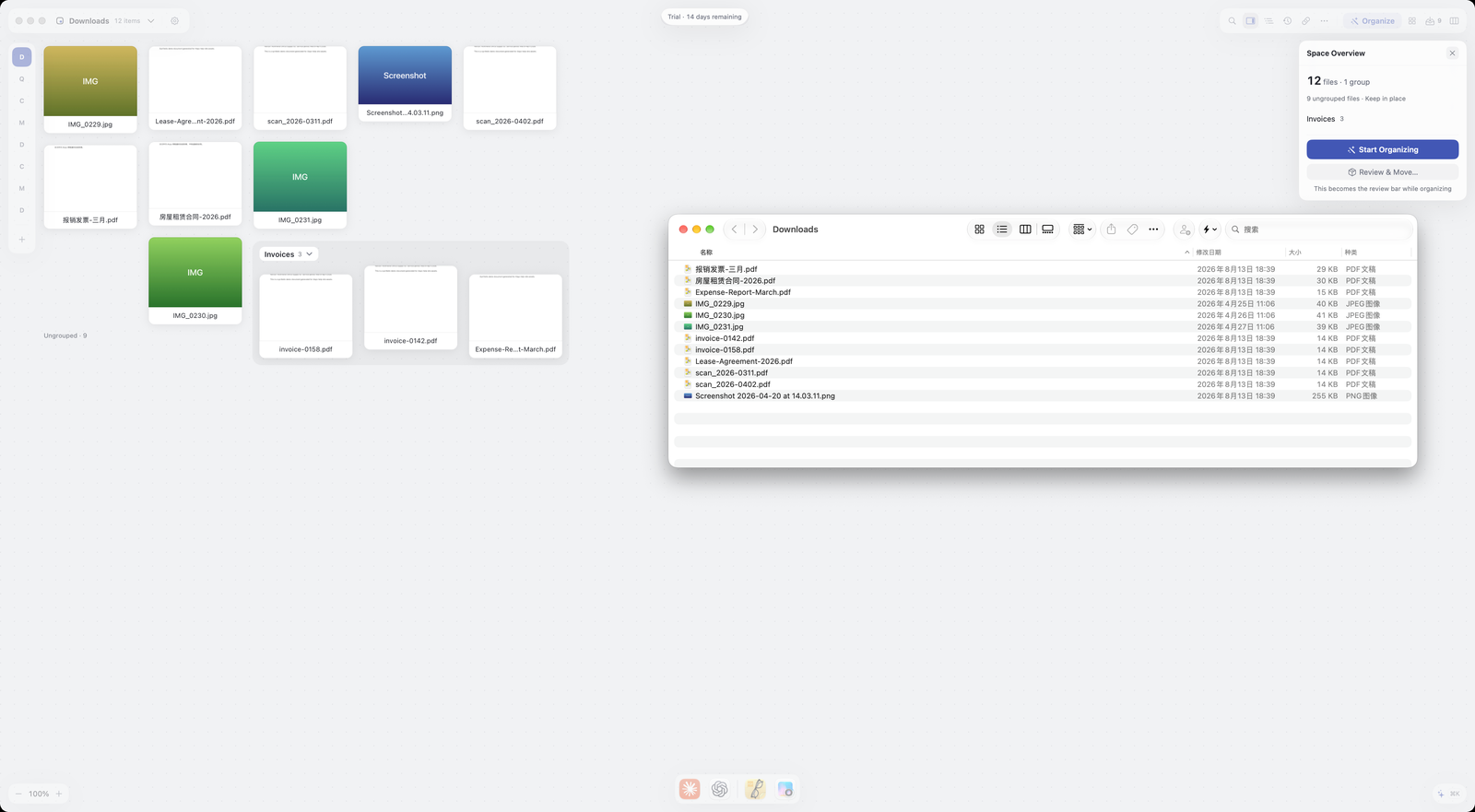
A space = a canvas + a set of cards. A card is a reference to a real file, not a copy: adding files to a space never copies, uploads, or alters the originals. The same file can live in several spaces, each with its own position and grouping.
The canvas is a rehearsal
Moving cards, grouping, renaming groups, stowing group positions — all of it happens in Alayo's virtual layer and never touches the files on disk.
That's the point of rehearsing: lay out the order you want, see if it feels right, and ⌘Z anything — without risking your real files.
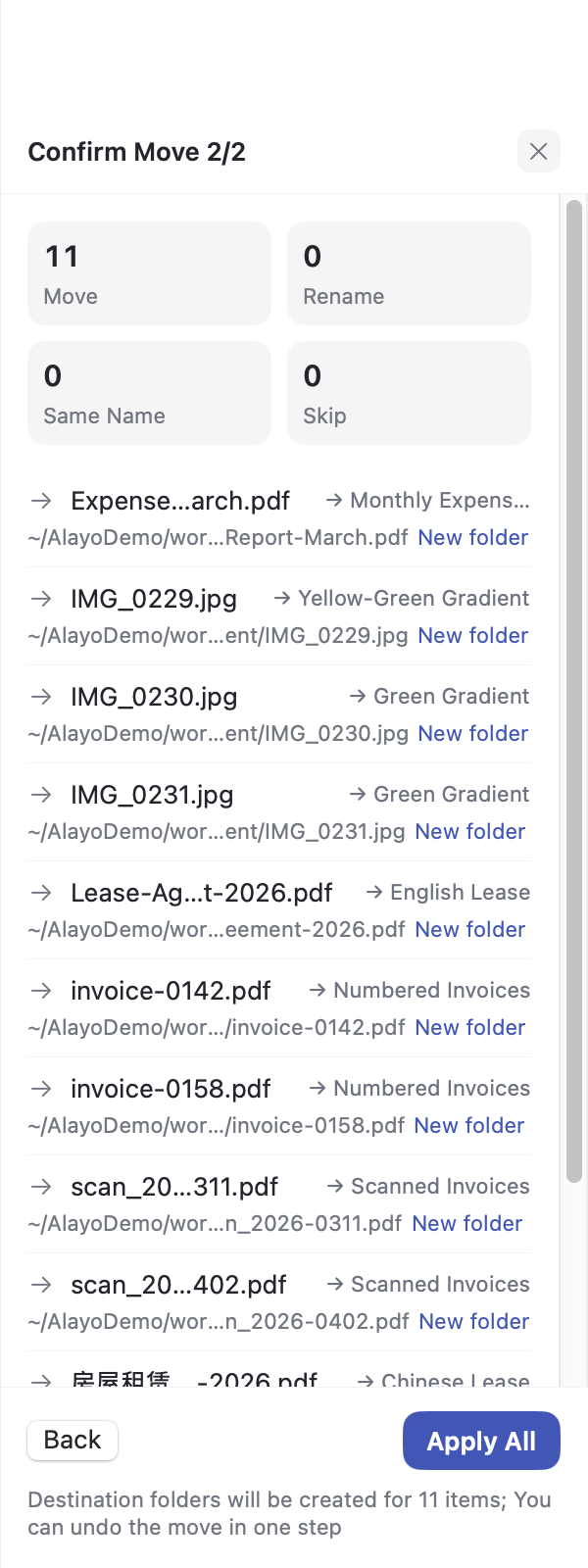
Before touching real files, Alayo always asks
Any operation that actually moves or renames files (applying) first shows you the complete list of changes: which file, from where, to where. It runs only after you confirm; discard it and nothing happens.
The same goes for AI: Organize with AI produces a proposal — suggested groups appear in the review panel first, land on the canvas only when you accept, and still pass the confirmation gate before real files move.
Everything can be undone
- Canvas changes: instant ⌘Z;
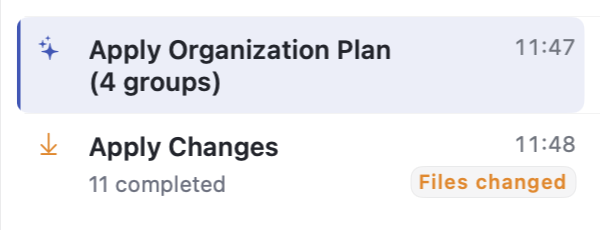
- Applied moves: records marked "Files changed" in History can be undone with one click — files return to where they were;
- Deletion always goes through Move to Trash and can be recovered — there is no irreversible delete in Alayo.
AI helps; you decide
"AI" actions (Organize with AI, Rename with AI) are proposed by AI; "by Rule" actions (Organize by Rule, Sort into Groups by Rule) run deterministically — same input, same result, every time — and land on the canvas right away; ⌘Z undoes them. AI plans wait for your review before they take effect. Organizing and grouping change only the canvas, and moving real files still needs a separate confirmation; renaming changes real filenames as soon as you click Apply All after review.
When you use AI features, relevant content is sent to large language model providers (by default through included Alayo AI, with your consent before first use); see the FAQ and Privacy Policy for details.